
 03 August 2026
 Share
Share
1
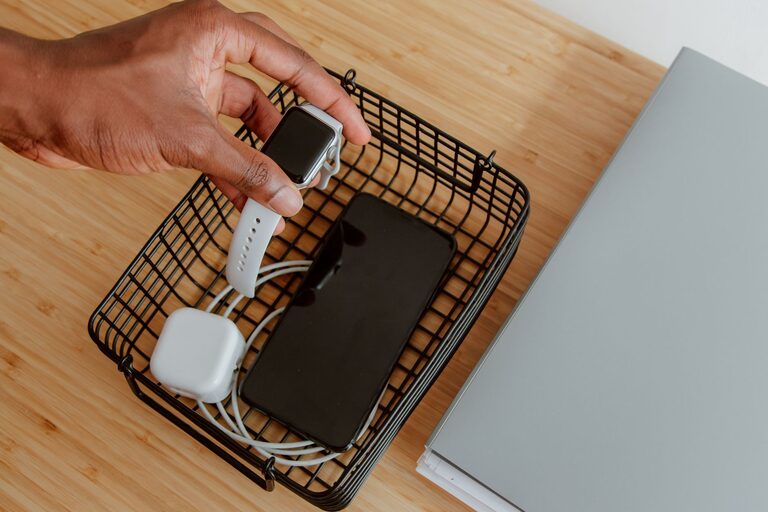
Setting up a dedicated charging station for your devices is a smart way to keep your home organized and ensure your electronics are always ready to use. Whether you have smartphones, tablets, smartwatches, or wireless earbuds, having a central spot for charging reduces clutter, prevents lost cables, and helps your household run smoothly. In this guide, we’ll walk you through everything you need to know to create your own efficient and tidy charging station.
In today’s world, most of us use multiple electronic devices daily. Without a designated place to charge, cords get tangled, devices get misplaced, and power outlets can become overcrowded. A charging station helps by:
– Keeping all devices in one location
– Reducing clutter and tangled cables
– Making it easy to find your charger and devices
– Protecting devices from damage by preventing overcrowding
– Saving time and frustration
Finding the best spot for your charging station is important. Consider the following:
– Accessibility: Choose a location central to your living space or workspace, where devices are frequently used.
– Power outlets: The area needs to have enough outlets or the ability to plug in power strips safely.
– Surface space: A flat, sturdy surface like a small table, shelf, or countertop works well.
– Safety: Avoid spots near water sources or high-traffic areas where cables may be tripped over.
Common locations include a corner of the living room, near your desk, in the kitchen, or on a hallway console table.
Make sure you have all the necessary tools and accessories:
– Multi-port USB chargers: These allow you to charge several devices at once from a single outlet.
– Charging cables: Keep cables organized and in good condition. Consider replacing worn-out cords.
– Power strips or surge protectors: Provides extra outlets and protects devices from power surges.
– Charging docks or stands: Helpful for neatly charging specific devices like phones or watches.
– Cable management tools: Clips, ties, or sleeves to keep cables neat and tangle-free.
Different devices have different charging needs. Group them by type or frequency of use to make charging simpler.
– Daily-use devices: Smartphones, tablets, and smartwatches.
– Occasional devices: E-readers, wireless headphones, or portable speakers.
– Backup devices: Power banks or spare batteries.
Labeling cables or ports can add an extra layer of convenience, especially in a family setting.
Here’s how to create the station step-by-step:
Place the multi-port charger or power strip on the surface. Make sure it’s stable and the cables can be routed easily.
Plug in charging cables. Use cable clips or ties to bundle excess length and avoid tangles.
Use small trays or stands to hold each device while charging. This prevents devices from sliding off or stacking messily.
Plug in devices and confirm they charge properly. Adjust cable lengths or positions for convenience.
To keep the station working well over time:
– Regularly check cables and replace damaged ones.
– Clean the area to prevent dust buildup.
– Rotate devices occasionally if you have limited ports.
– Keep the station free from non-charging clutter.
– Use wireless chargers: If your devices support wireless charging, this can reduce cable clutter further.
– Label cables: Use colored tags or labels to quickly identify cables.
– Create a charging schedule: For families, set times when devices should be charged to avoid overcrowding.
– Consider USB-C: Modern devices increasingly use USB-C, which supports faster charging and fewer cables.
– Add lighting: A small LED lamp or nightlight can make the station easier to use in low light.
Setting up a charging station is a simple project that can greatly improve your home’s organization and convenience. By choosing the right spot, gathering appropriate gear, and keeping devices organized, you’ll save time and protect your gadgets. Give it a try and enjoy a clutter-free, power-ready space for all your devices!
